
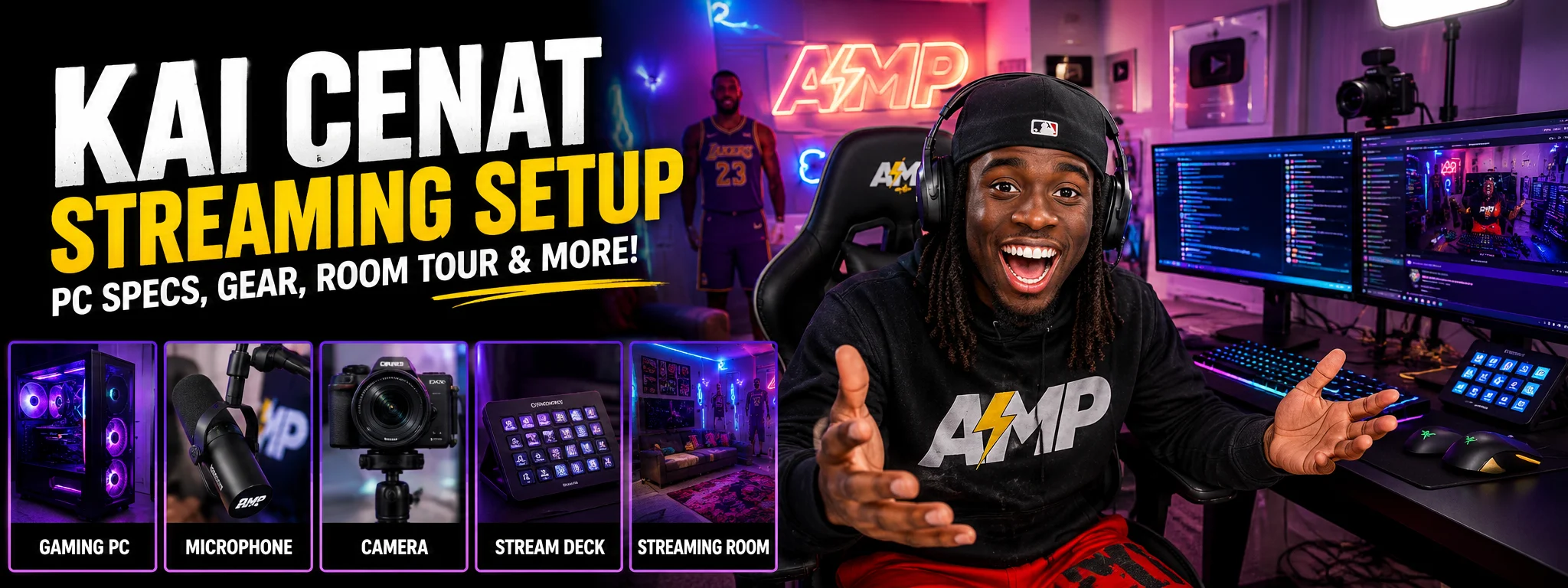

Ever wondered how Kai Cenat creates some of the most exciting live streams on Twitch? His high-energy personality plays a big role, but his streaming equipment also helps deliver a smooth viewing experience. In this guide, we’ll break down the Kai Cenat streaming setup, including his gaming PC, camera gear, audio equipment, streaming room design, and software. You’ll also learn how beginners can build a similar setup without spending a fortune.
A Quick Look at Kai Cenat’s Streaming Setup
Kai Cenat has become one of the biggest names in live streaming. His entertaining content, audience engagement, and professional streaming production quality keep millions of viewers coming back.
Many fans search for the Kai Cenat setup because they want creator setup inspiration or hope to build a Twitch streamer setup of their own. While some details of his streaming equipment are officially confirmed, other pieces are based on trusted reports and industry estimates.
What stands out most is how every part of his setup works together to create an enjoyable streaming environment.
Kai Cenat’s Gaming and Streaming PC Specs
A powerful computer is the heart of any professional streaming setup. Kai Cenat’s gaming PC is believed to feature high-end components designed for both gaming and live streaming.
Commonly reported Kai Cenat PC specs include:
- AMD Ryzen 7 7800X3D processor
- NVIDIA GeForce RTX 4090 graphics card
- DDR5 RAM
- NVMe SSD storage
- Advanced cooling solutions
This type of custom gaming PC supports high-performance gaming while handling demanding streaming tasks at the same time. Running games, managing OBS Studio, recording footage, and interacting with viewers all require strong hardware.
However, beginners should remember that a streaming PC build doesn’t have to match Kai’s exact setup to produce great content.
The Camera and Video Equipment Behind His Streams
Video quality helps viewers feel more connected to the creator. The Kai Cenat camera setup reportedly includes high-quality cameras capable of producing clear and detailed footage.
Many streamers choose a mirrorless camera for streaming because it offers excellent image quality. Popular options often associated with creator setups include the Sony A7 IV and Sony ZV-E10.
Kai’s streams sometimes feature multiple viewing angles. A multi-camera setup allows creators to switch perspectives during gameplay, reactions, or special events.
Capture cards also play an important role. Devices like the Elgato 4K60 Pro help transfer video signals smoothly while maintaining excellent image quality.
Kai Cenat’s Audio Setup
Viewers may forgive average video quality, but poor sound can quickly drive them away. That’s why professional audio quality is essential.
The Kai Cenat microphone setup is believed to include premium equipment designed to capture energetic reactions without distortion. Some streaming reports mention microphones similar to the Blue Yeti, a popular USB microphone among beginners and experienced creators.
Helpful streaming accessories often include:
- Pop filters
- Boom arms
- Shock mounts
- Audio interfaces
These tools reduce unwanted noise and improve overall sound clarity, making streams easier and more enjoyable to watch.
Gaming Peripherals and Accessories
Gaming peripherals help streamers perform comfortably and efficiently during long broadcasts.
The Kai Cenat gaming setup reportedly includes quality peripherals such as:
- Responsive keyboards
- Precision gaming mice
- Comfortable mousepads
- Console controllers
Another important tool is the Elgato Stream Deck XL. This device supports stream automation by allowing creators to control scene switching, sound effects, and transitions with the press of a button.
For busy content creators, these small improvements can make a huge difference in their creator workflow.
How Kai Cenat Designs His Streaming Room
One reason the Kai Cenat streaming room stands out is its visual appeal. Modern viewers enjoy watching creators with memorable backgrounds and creative setups.
Features commonly found in an RGB streaming room include:
- RGB lighting
- Nanoleaf light panels
- Elgato Key Light Air
- Philips Hue lighting
- Personalized decorations
A well-designed streamer room design strengthens branding and creates a unique identity. Even simple lighting upgrades can make a desk setup look more professional.
You don’t need a massive budget to improve your streaming environment. Small touches often leave lasting impressions on viewers.
What Streaming Software Does Kai Cenat Use?
Most reports suggest Kai Cenat uses OBS Studio for live streaming.
OBS Studio is free software that helps creators capture gameplay, manage overlays, and control broadcasts. It remains one of the most popular tools because it offers powerful features without a price tag.
Many streamers also use OBS for:
- Scene switching
- Stream automation
- Recording content
- Managing alerts
- Organizing production workflows
Beginners interested in learning more can explore the official OBS Studio website.
You don’t need advanced Kai Cenat OBS settings to get started. Learning the basics first often leads to better long-term results.
Can You Build a Kai Cenat-Inspired Setup on a Budget?
Absolutely.
Many beginners assume they need celebrity-level equipment before they can succeed. That’s simply not true.
Focus your budget on the upgrades that matter most:
- Invest in a clear microphone.
- Use reliable lighting.
- Choose a capable computer.
- Learn your streaming software well.
- Upgrade equipment gradually.
Content quality, consistency, and audience engagement matter more than owning expensive gear.
Kai Cenat’s success comes from his personality and dedication just as much as his streaming equipment. Use his setup as inspiration, but build a system that fits your own goals and budget.
Frequently Asked Questions
What equipment does Kai Cenat use to stream?
Kai Cenat uses a combination of powerful PC hardware, quality cameras, streaming accessories, professional audio gear, and lighting equipment. Some setup details are confirmed, while others are based on trusted industry reports.
What program does Kai Cenat use to stream?
Kai Cenat is widely believed to use OBS Studio. The software is free and popular among both beginners and professional creators because of its flexibility and useful streaming features.
How much does a full streaming setup cost?
A streaming setup can range from around $500 to well over $10,000. The final cost depends on the quality of equipment you choose and whether you’re building a beginner or professional setup.
What does Kai Cenat make per stream?
Kai Cenat earns money through subscriptions, donations, sponsorships, advertisements, and gifted memberships. Since earnings vary and aren’t always public, there is no exact amount for each stream.
How much is $1,000,000 gifted on Twitch?
The amount a creator receives depends on subscription tiers, revenue-sharing agreements, taxes, and regional pricing. The exact payout may differ from the amount viewers spend.
Who is the #1 live streamer?
Streaming rankings change over time. Kai Cenat has been among the most-watched creators in recent years, but viewership leaders can shift based on events, schedules, and audience trends.
For new creators looking to improve their skills, Twitch also offers educational resources through Creator Camp.
The Kai Cenat streaming setup shows that great streams combine reliable equipment with creativity, consistency, and strong connections with viewers. Whether you’re building your first setup or upgrading your current one, focus on creating content people enjoy and improving your gear step by step.